How to Group and Cull Similar Photos on Mac
Similar-photo culling is different from duplicate cleanup. A burst can contain different expressions, a portrait sequence can move through several poses, and an event can be photographed from nearby angles. The useful unit is the moment, not an identical file.
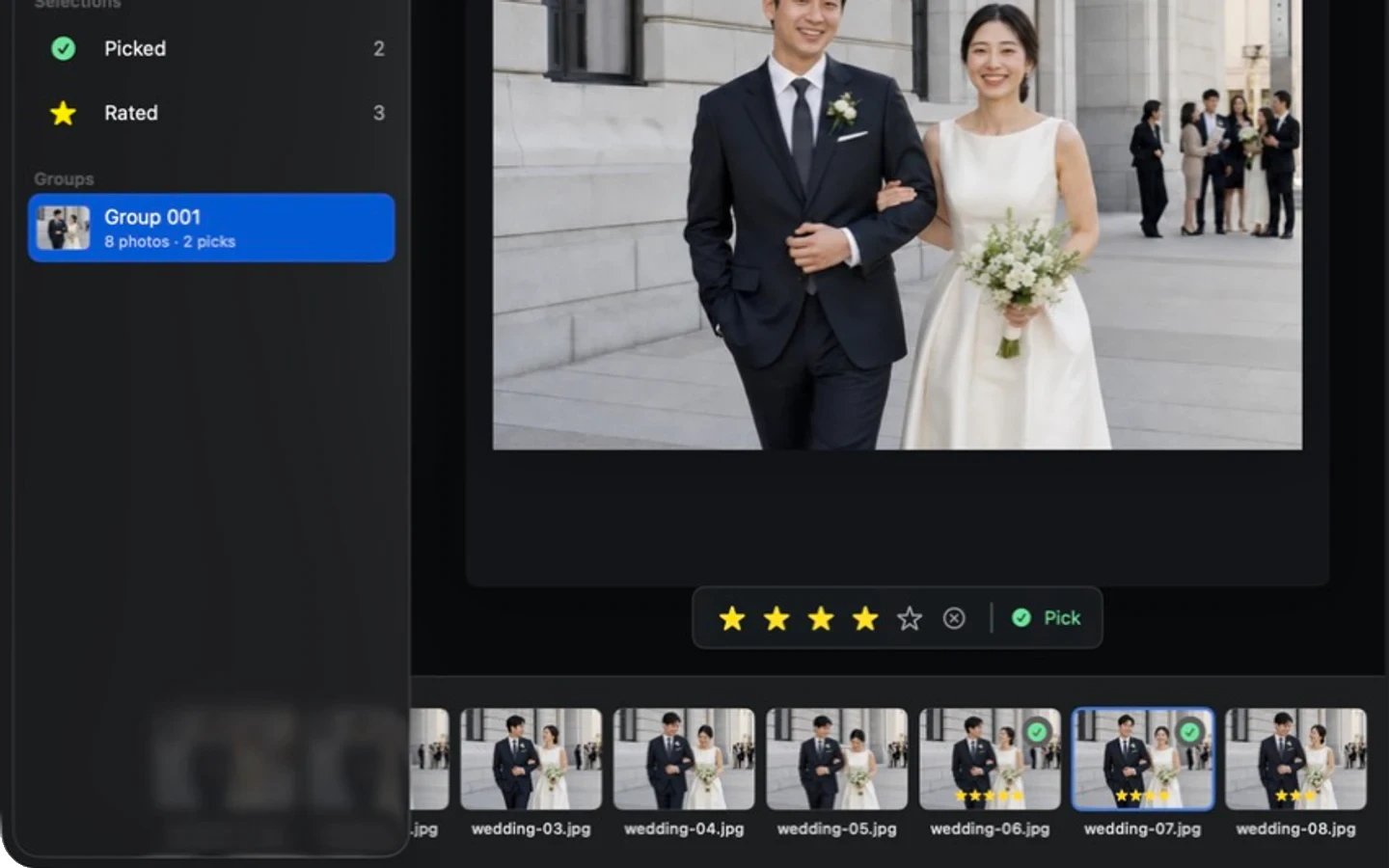
- Groups
- Different angles, poses, expressions, and nearby frames
- Ungrouped
- Always available as a normal review collection
- Control
- The photographer Picks and rates every final choice
- Processing
- Local on the Mac; no photo upload for culling
Similar is more useful than identical
Duplicate detection looks for the same file or nearly the same pixels. That can help clean storage, but it does not solve professional culling. Photographers need to compare frames that show the same subject and moment even when the pose, crop, angle, or background changes.
CullBench organizes photos by overall visual relationship and capture-time continuity. Time helps separate two visually alike scenes recorded far apart, while visual content can keep nearby variations together. The result is a set of review suggestions rather than a permanent folder structure.
- A head turn or hand movement can remain in the same group.
- Nearby changes in camera angle can still belong to one moment.
- Exact duplicates are not required.
- Groups do not move, rename, or delete source files.
Review one moment at a time
Open the first group and move through its filmstrip. Keep the large preview focused on the photograph while arrow-key navigation follows the current item. Reaching the last frame continues into the next group; moving left from a first frame returns to the prior group.
Use Space to Pick the frames that deserve a second look. The Pick mark appears on the image and filmstrip, and the state persists when the app closes. Ratings are available when a more detailed hierarchy is useful.
- 01
Compare composition first
Remove frames with obvious obstruction, accidental crops, or a weaker relationship between subject and background.
- 02
Compare the decisive detail
For people, inspect expression, gesture, focus, and blinking. For action, inspect timing and subject separation.
- 03
Keep more than one when the role changes
Two photographs from one moment can both survive when one is a wide storytelling frame and the other is a strong close view.
Ungrouped does not mean unimportant
A conservative grouping system should leave uncertain photographs alone instead of forcing every file into a cluster. CullBench exposes Ungrouped as a selectable collection with the same preview, keyboard navigation, Pick, and rating controls.
Review it after the similar groups. It often contains one-off details, establishing shots, unusual compositions, or related frames that were not similar enough to join confidently. Nothing in Ungrouped is rejected or excluded from export.
Turn groups into a smaller second pass
The Picked collection gathers choices from every group and from Ungrouped. This changes the comparison from “which frame wins this moment?” to “does the final set tell the story without unnecessary repetition?”
The Rated collection offers another view when star levels are part of the workflow. These are live views of review state, not copied files. Removing a mark updates the collection while preserving the original photograph and its place in the source folder.
Local grouping changes the privacy equation
The local folder can contain wedding guests, children, private homes, travel records, or unreleased work. CullBench performs visual analysis and grouping on the Mac, so the photographs do not need to leave the computer for this workflow.
Analysis data and previews do use local storage. Managed storage can be reviewed and cleared in Settings, while portable storage can remain beside the source folder for later reopening. Clearing analysis data does not delete the original photographs.
Set the right expectation for visual groups
No general visual model understands a photographer's intent perfectly. A landscape with a small person can resemble a nearby portrait, and a scene change can remain visually similar. Conversely, a dramatic pose or angle change can split one real moment.
Treat groups as a faster route to comparison. Keep Ungrouped visible, make every decision reversible, and judge quality with the full-resolution preview or loupe when the distinction matters.